First Design Hire at an AI Speech Intelligence Startup

UX Designer
Gweek — First Design Hire at an AI Speech Intelligence Startup
My role: UX Designer (First Design Hire)
Platform: Native iOS, Android & Web
Timeline: 10 months (Apr 2018 – Jan 2019)
The short version: Joined as Gweek’s first designer, establishing the design function and introducing structured user research. Redesigned onboarding, sign-up flows and the AI-powered speech feedback experience to support the company’s transition from B2B to B2C.
Overview: Gweek is an EdTech platform dedicated to helping users improve their communication skills. Initially, Gweek’s primary focus was on a B2B market. However, during my tenure, the company decided to expand its reach to include B2C users. This strategic pivot allowed me to play a pivotal role in the redesign and enhancement of the platform’s features, catering to a broader audience.
CONTEXT
Gweek is an AI-powered speech intelligence platform that analyses users’ spoken communication and provides structured feedback to help them improve. The product uses NLP to assess recordings, score performance, and guide users through progressive training levels.
When I joined, Gweek was focused on B2B — administrators would add users to programmes manually. The company was shifting to B2C, which meant the product needed to work for consumers arriving on their own, without an admin setting them up. The onboarding, sign-up flow and feedback experience all needed to be rethought.
I was the first design hire. There was no design function, no user research practice, and no established design process. Part of my role was building those foundations while simultaneously redesigning the product.
ONBOARDING: FROM B2B TO B2C
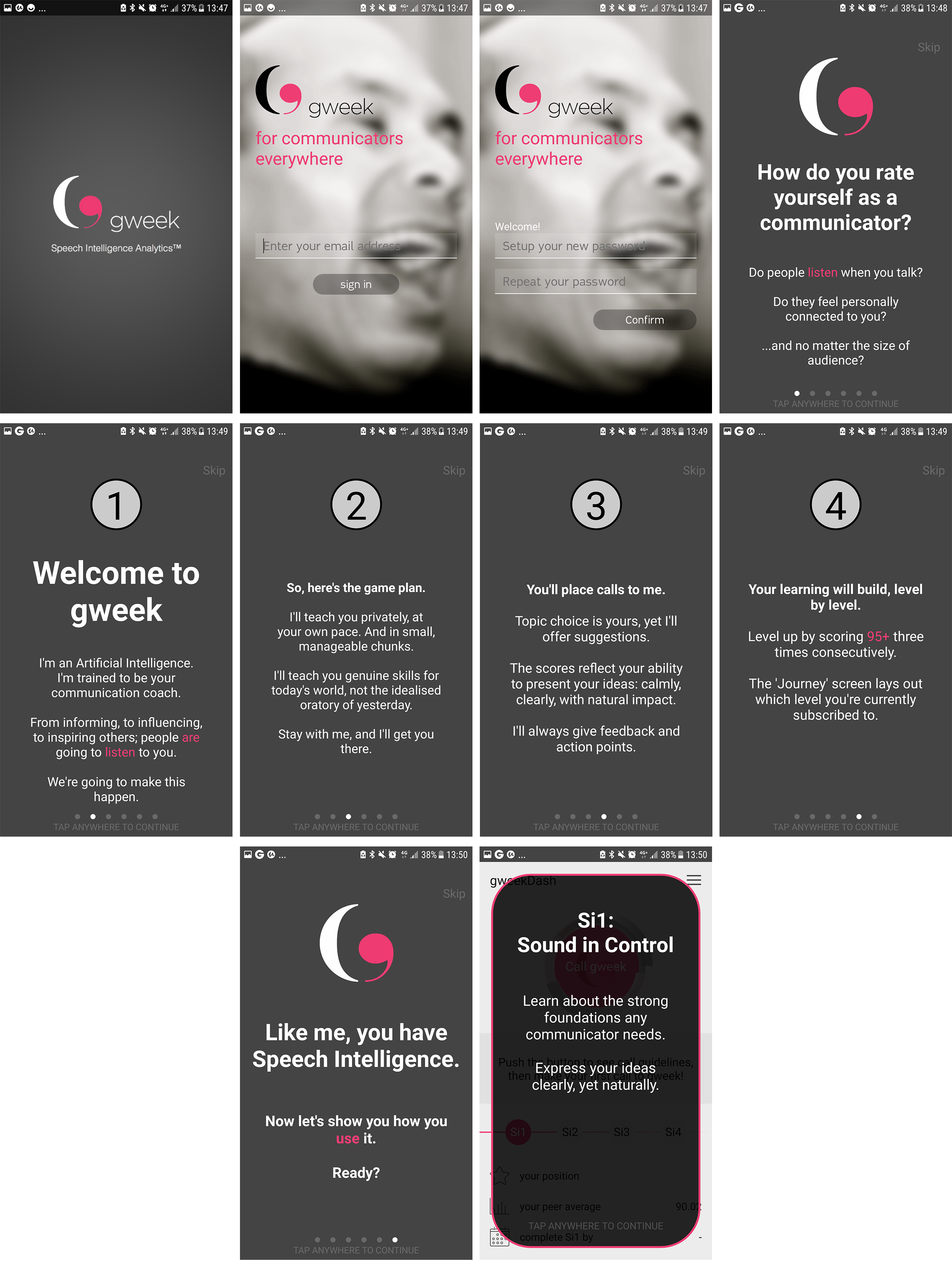
The existing onboarding required an administrator to create each user account — workable for B2B but a dead end for consumer acquisition. The introduction screens were text-heavy and usability testing confirmed users found them off-putting.
I redesigned the onboarding in three ways:
Simplified sign-up: Added email and social login options, removing the need for admin involvement entirely.
Value-first introduction: Replaced the text-heavy introduction with three concise screens highlighting key benefits, getting users to their first interaction faster.
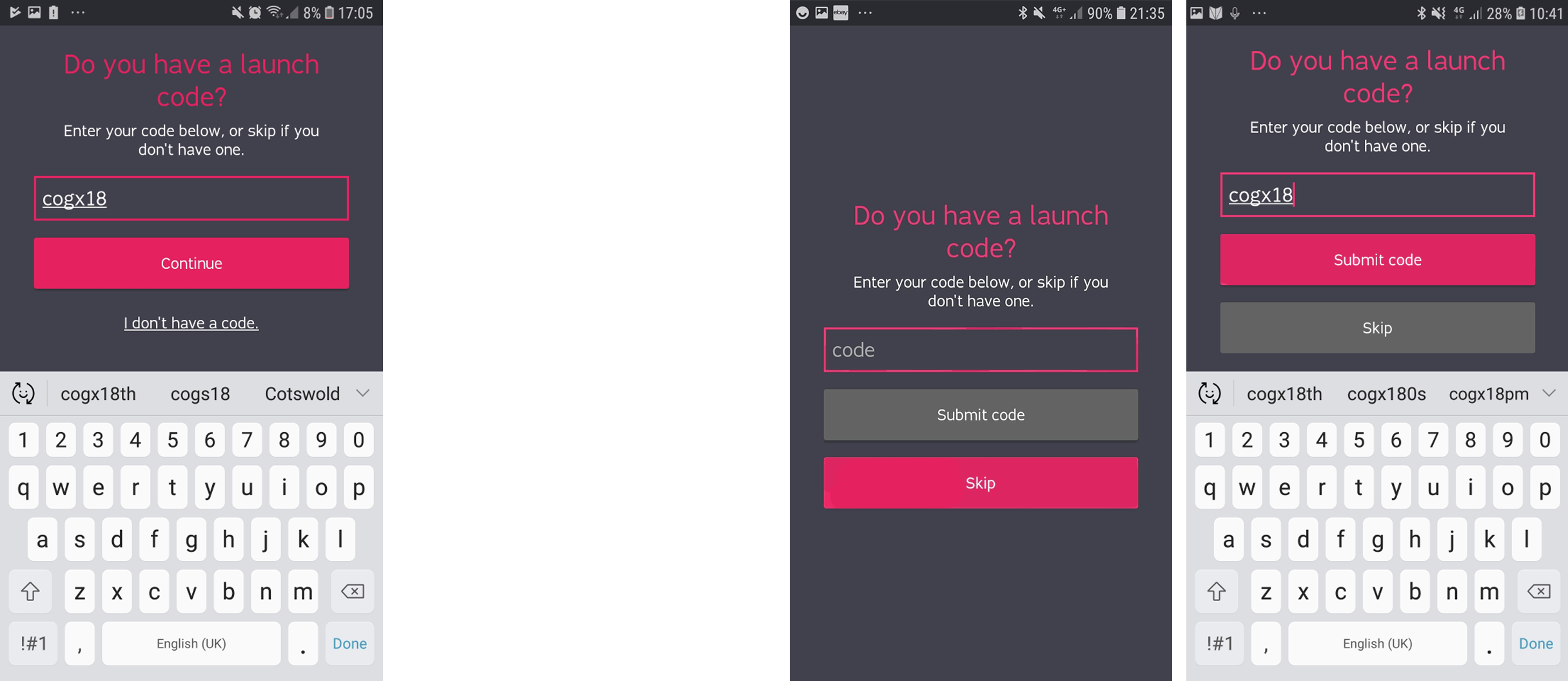
Promo code redesign: The launch code screen was causing significant drop-offs — users feared missing a discount and would abandon sign-up to search for codes. I worked with sales (who wanted to keep the feature) and engineering (who had limited time) to find a compromise: equally weighted buttons for “enter code” and “skip,” with skip as the default. This reduced drop-offs while preserving the segmentation capability.
Redesigned B2C onboarding — social sign-up, value-focused introduction and streamlined promo code step.
B2C Onboarding Screens
The new onboarding screens effectively address the challenge of transitioning from a B2B to a B2C application by streamlining and enhancing the user signup experience. Initially, users are introduced to the application’s value through three concise screens, which highlight key benefits. This approach educates and engages potential users, making them more likely to complete the signup process. By eliminating the need for administrator intervention and offering a straightforward signup option via email or social media, the process becomes more immediate and user-friendly. This transition to a B2C model is further supported by clear, engaging content that helps users understand and appreciate the application’s benefits from the outset, leading to higher retention and satisfaction rates.
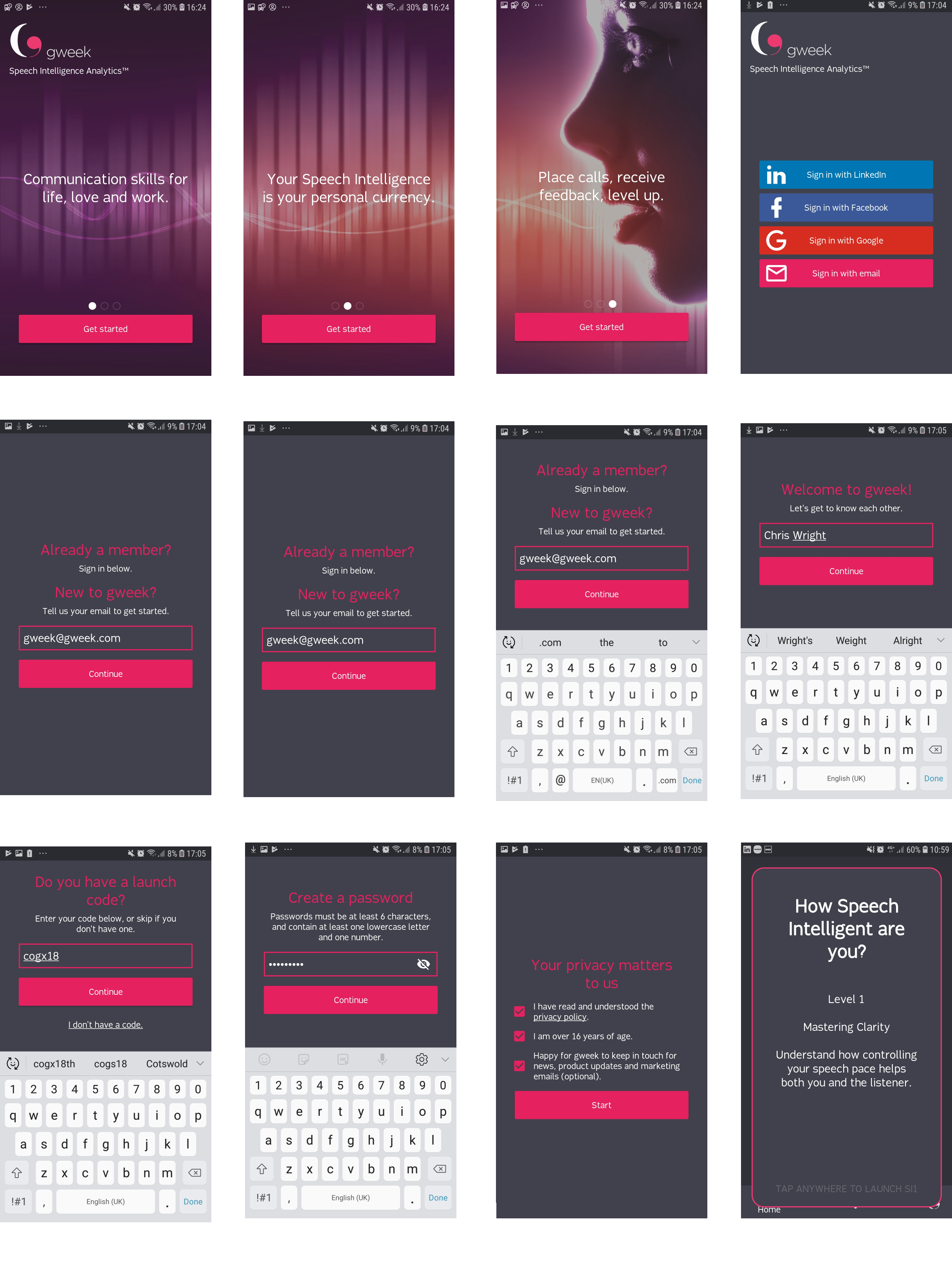
The promo code redesign — equal emphasis on ‘skip’ and ‘enter code’ reduced drop-offs while preserving the feature for sales.
REDESIGNING AI-POWERED FEEDBACK
This was the core of the product experience — the moment after a user submits a speech recording and receives AI-generated feedback on their performance. The original design presented this as long blocks of text on the main dashboard. User observations showed people skimming past critical information like their suggested next topic or how many recordings they needed to progress.
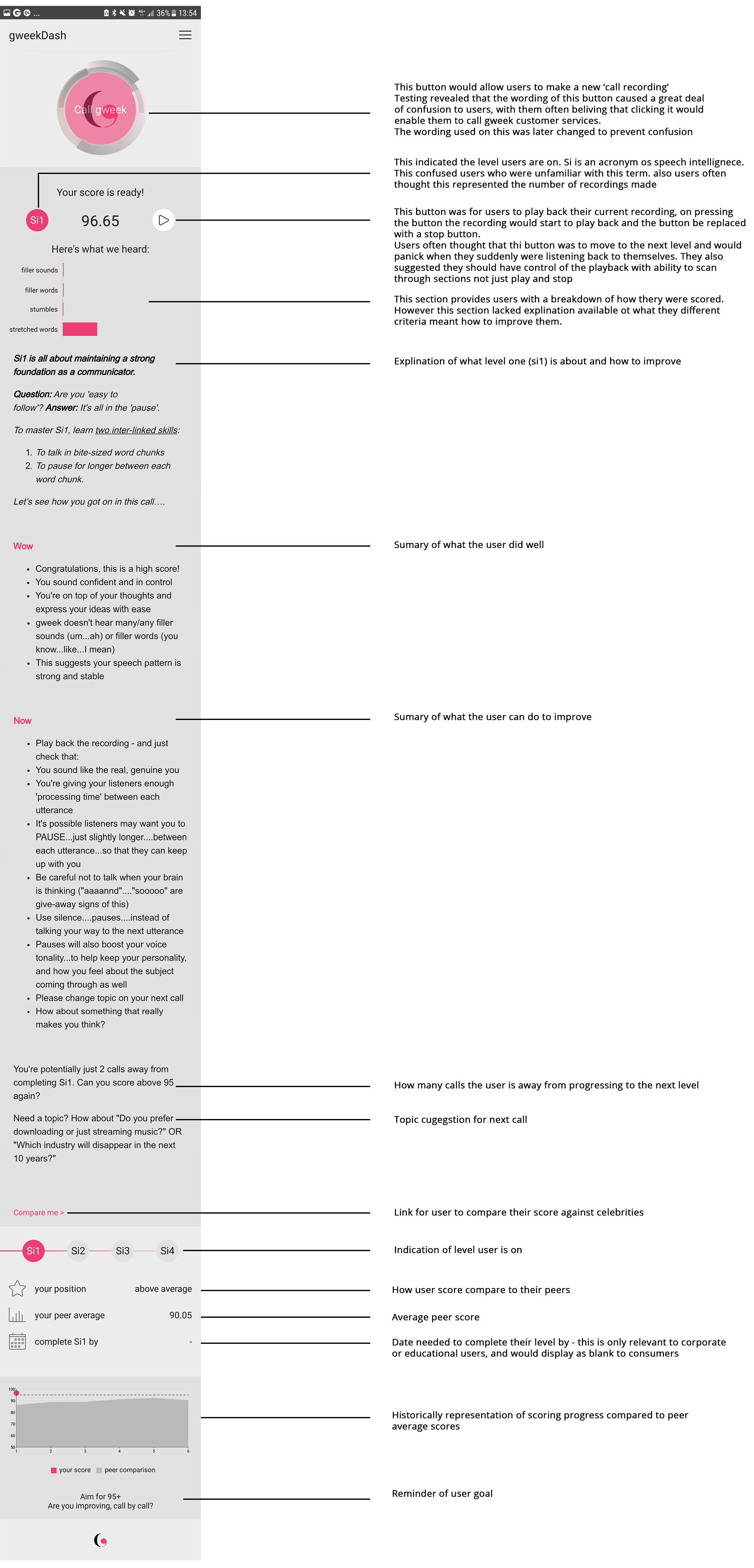
I redesigned the feedback experience with three key changes:
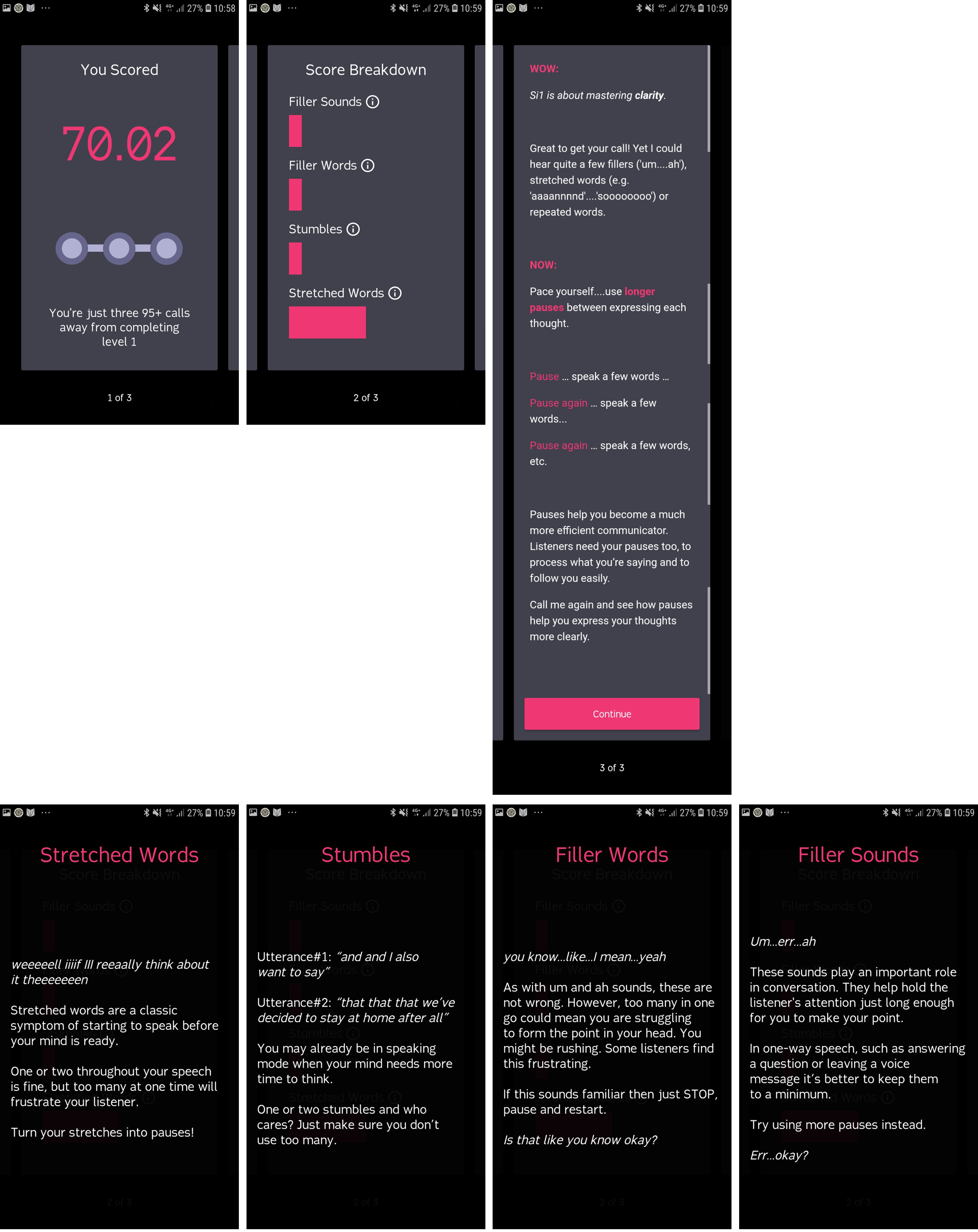
Separated feedback from the dashboard — giving it its own dedicated screen so users could focus on their results without distraction.
Visual scoring and streak indicators — replacing text with graphical score breakdowns and a clear streak position, making progress immediately visible.
Focused, digestible guidance — clickable breakdowns for each scoring area, followed by personalised strengths and improvement areas. Users could go deep on detail if they wanted, but the top-level view was scannable.
Redesigned feedback — visual scoring, streak indicators and focused guidance replacing the original text-heavy format.